Pharmacy

A pharmacy point of sale with the accounts built in

Serve the queue, bill customers, take cash, cheque or electronic payments and never sell an expired batch.

  • Batch and expiry tracking
  • Multi-user
  • Instant payment reconciliation
  • SMS reminders
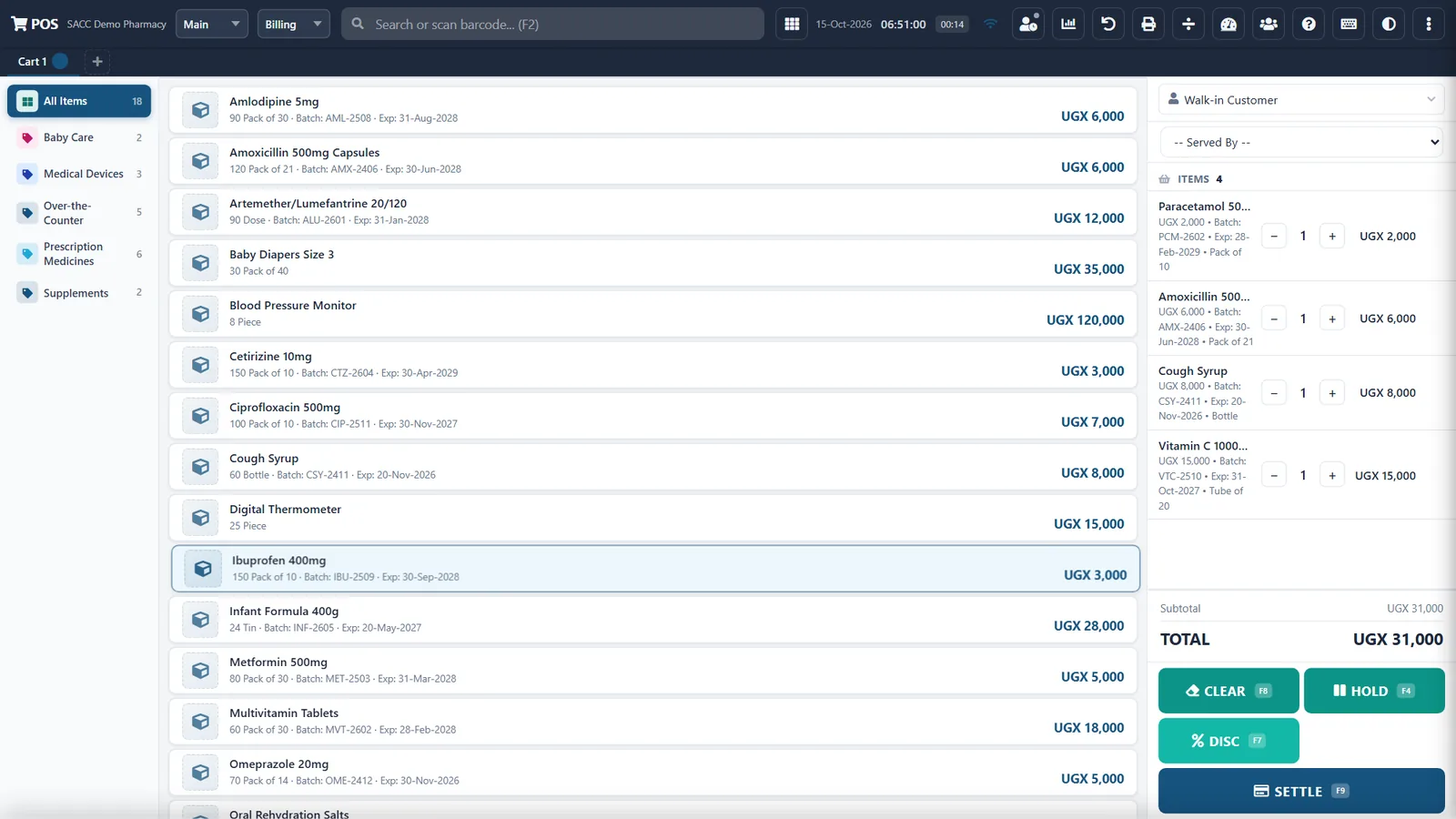
PharmaCash till with batch and expiry on every item
Batch and expiry on every line
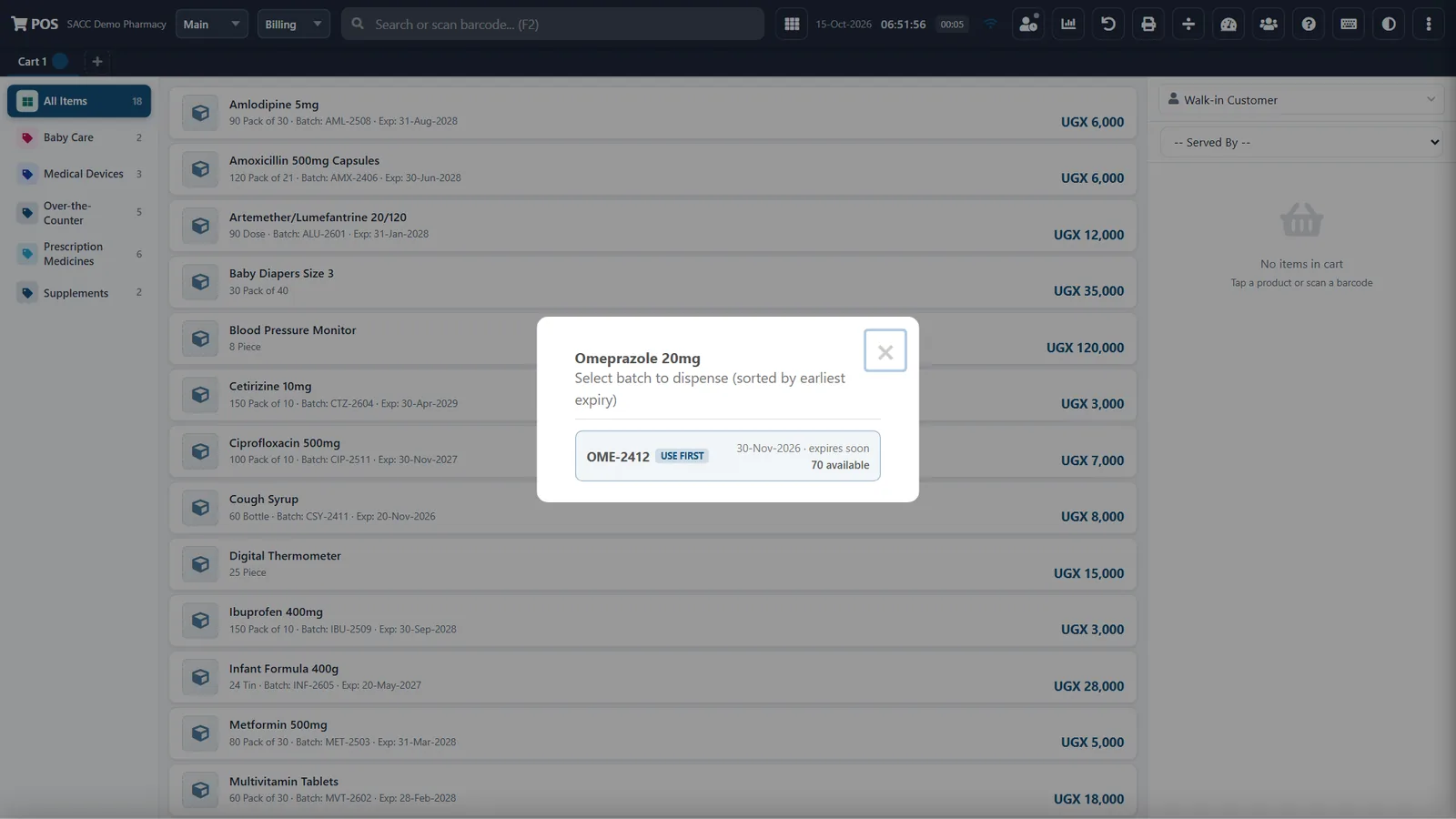
The till offering the batch that expires first
The batch that expires first, first
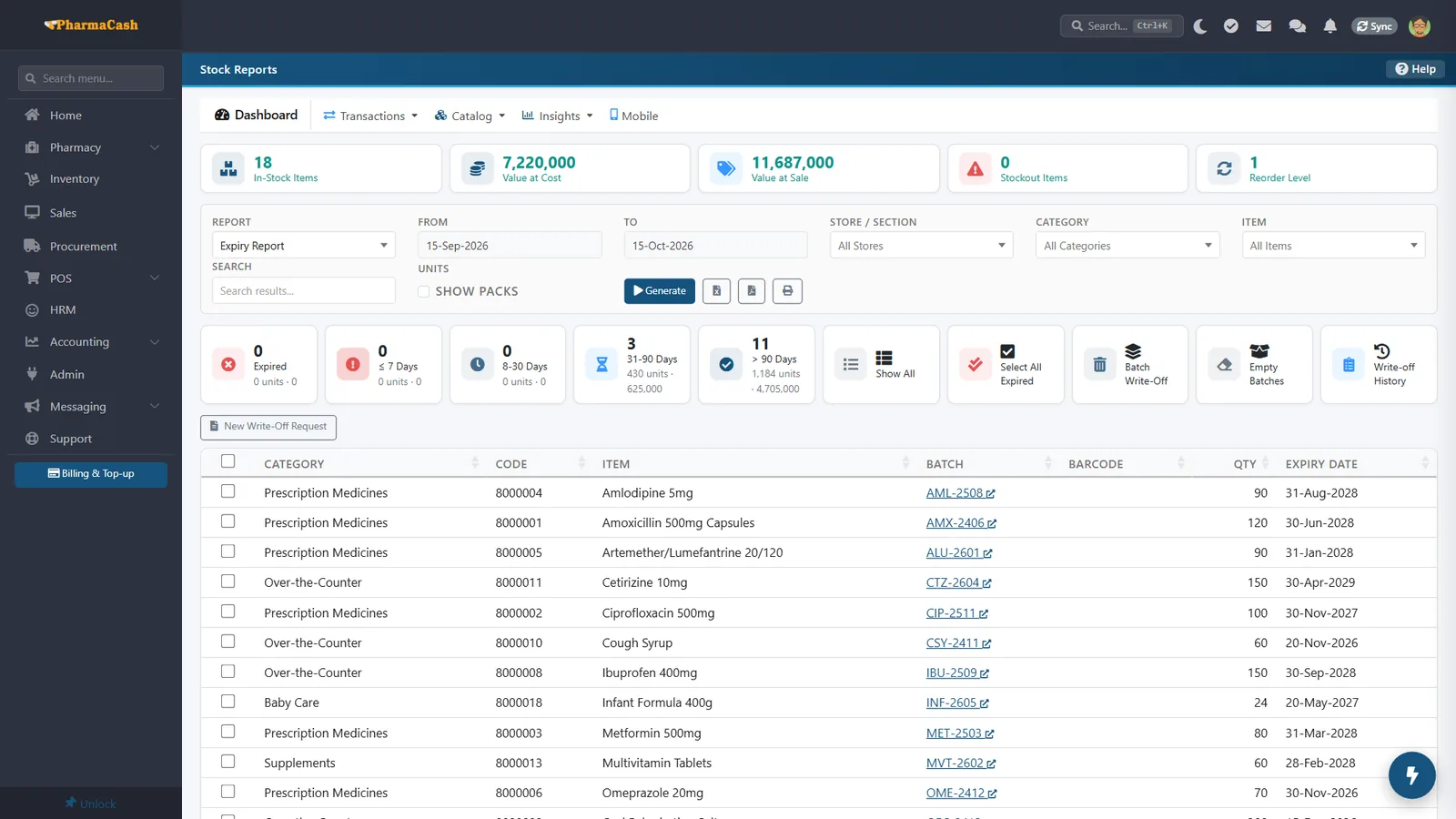
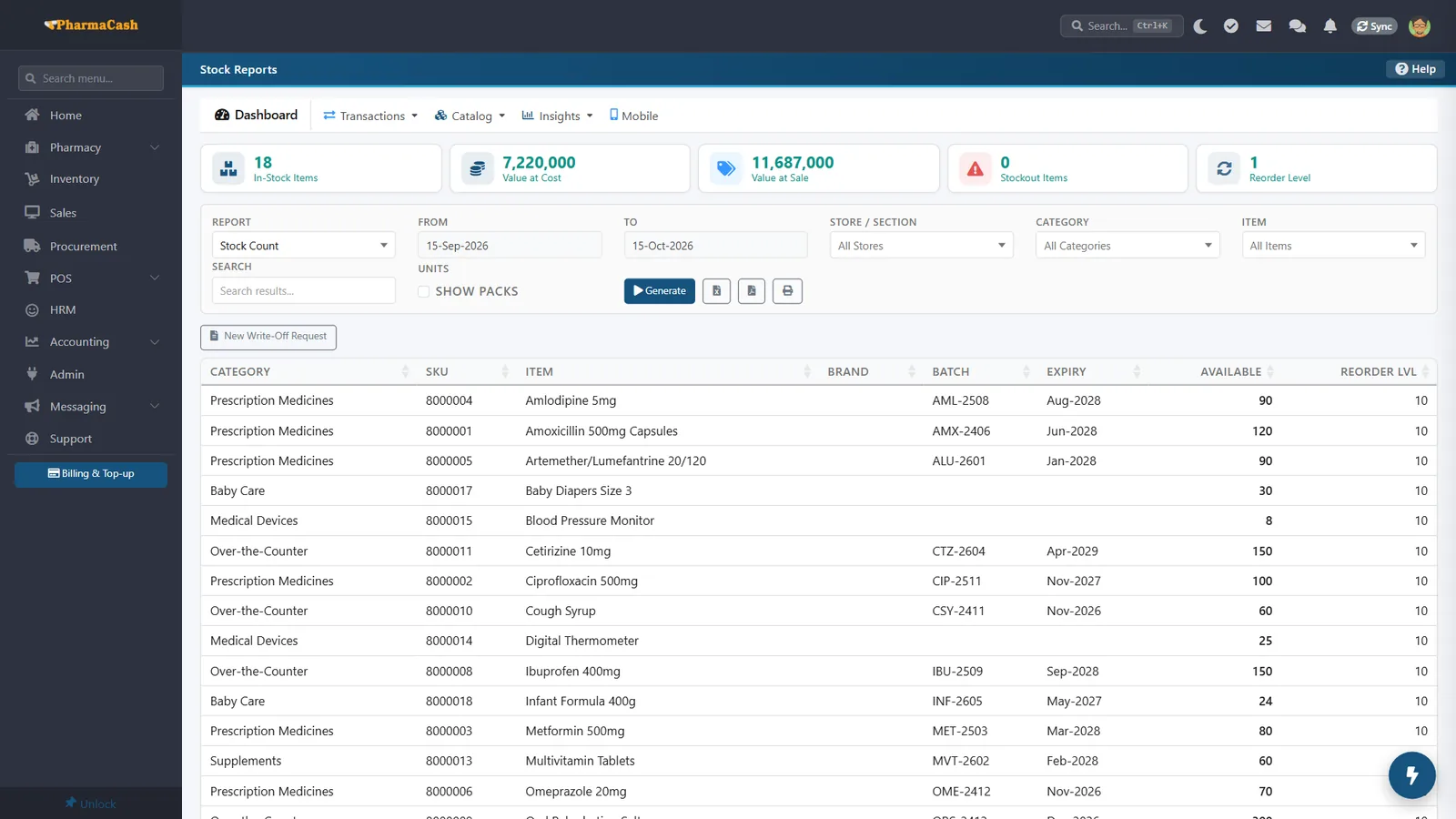
Expiry report by batch
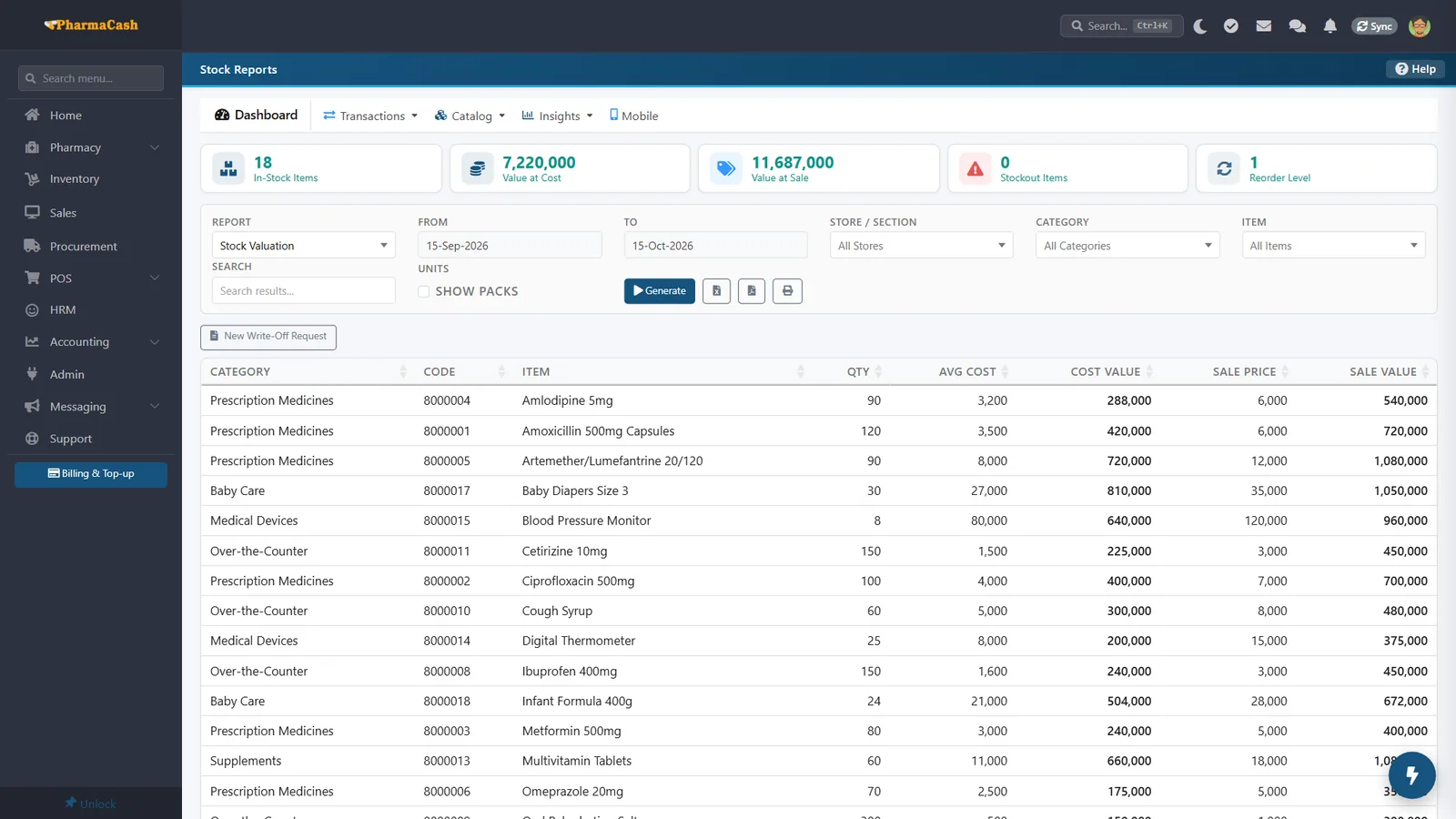
Stock valuation at cost and sale
Stock value at cost and sale
MODULES

Everything a pharmacy runs on

PharmaCash till

Point of sale

Fast at the counter, right in the books.

  • Many computers, one central database
  • Receipt printing
  • Cash, cheque or electronic payments
Choosing the batch to dispense

Batch & expiry

Never sell an expired item.

  • Stock by batch number and expiry date
  • Expiry alerts to cut waste
  • Alerts when a batch or expiry date is missing
Stock by batch and expiry

Stock control

Know what is on the shelf.

  • Track stock and update levels
  • Records, updates and archives every batch

Billing & sales

Every sale and payment recorded.

  • Customer accounts, invoices, receipts and reminders
  • Daily, weekly and monthly sales reports
  • Debtors and creditors lists
Stock valuation

Financial reporting

The pharmacy's books, always current.

  • Other income and expenditure
  • Instant reconciliation when an electronic payment comes in
  • General ledger, trial balance, income statement and balance sheet

SMS platform

Keep customers and staff informed.

  • Reminders and notices
  • Summary reports by e-mail and SMS
HOW IT WORKS

From day one to month end

  1. Step 1

    Stock

    Receive goods by batch and expiry.

  2. Step 2

    Sell

    Serve the queue at the counter.

  3. Step 3

    Get paid

    Cash, cheque or electronic payment.

  4. Step 4

    Report

    Sales and financial statements.

See PharmaCash serve your counter.