Sales
Sales Order
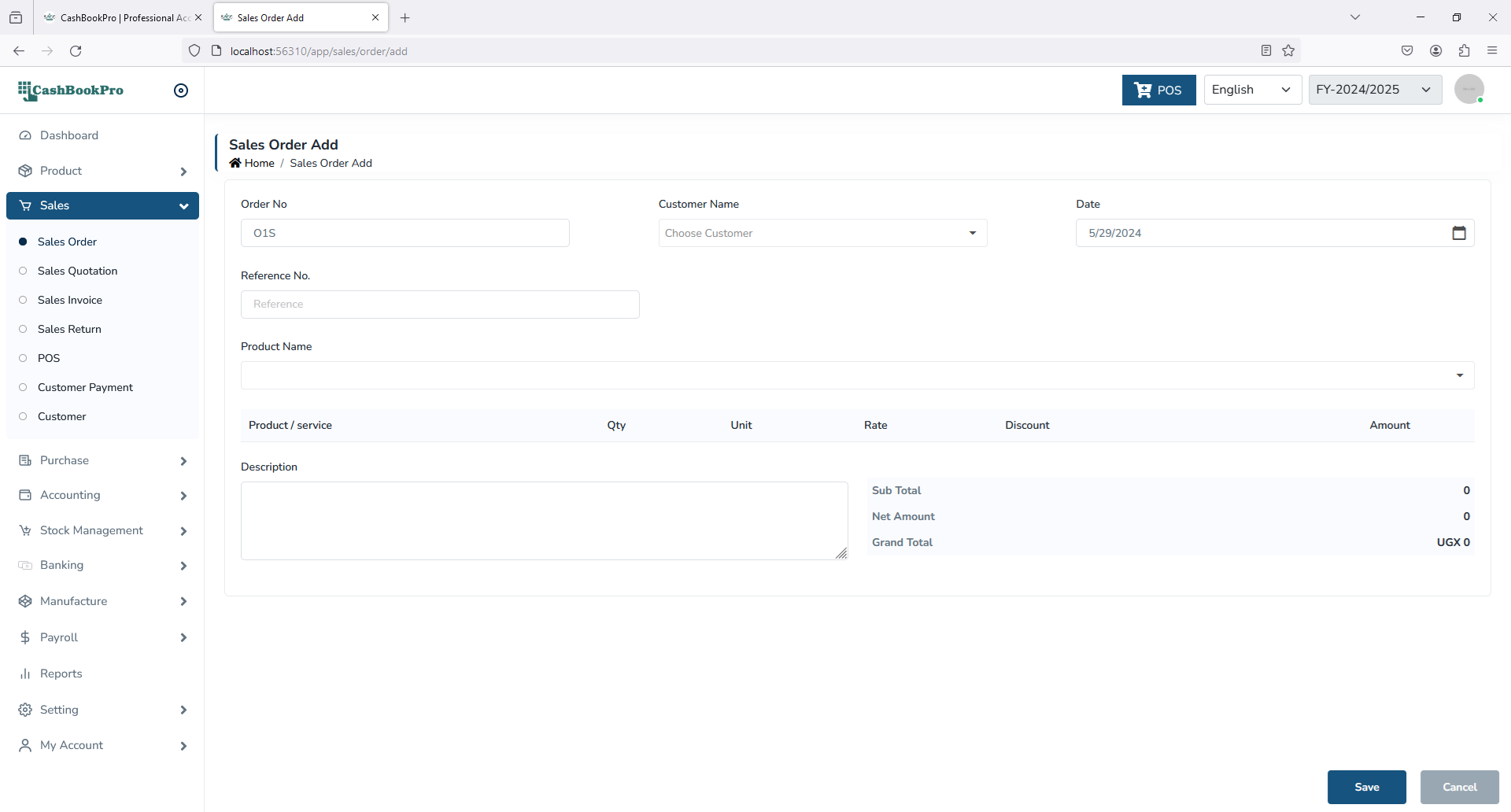
This form is for:
- Adding a new sales order.
- Editing details of existing sales order.
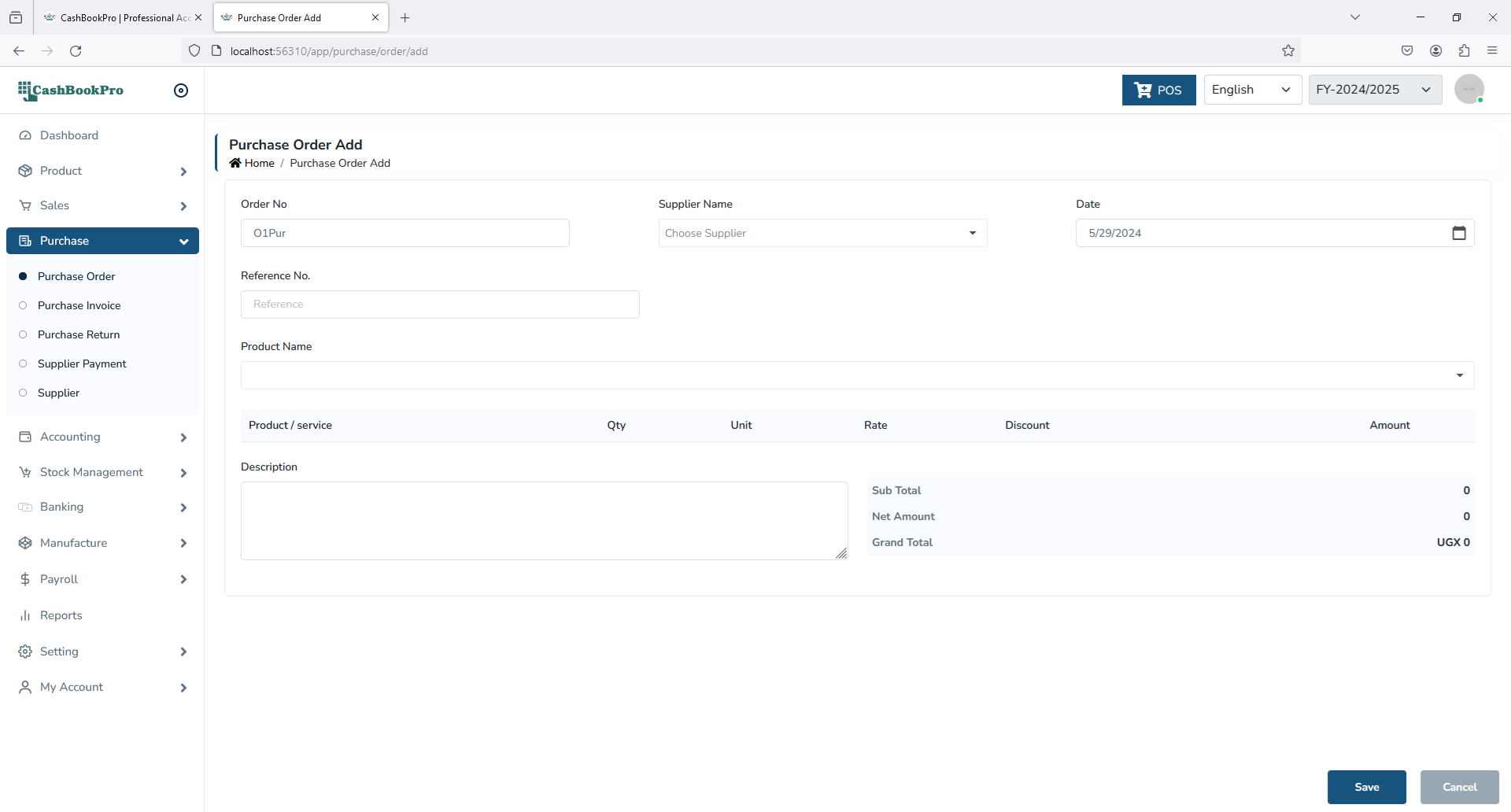
Add a new sales order
- Order Number automatically generated or manually generated.
- Select details such as date, due date, customer.
- Click Save button to save the entered details
Sales Invoice
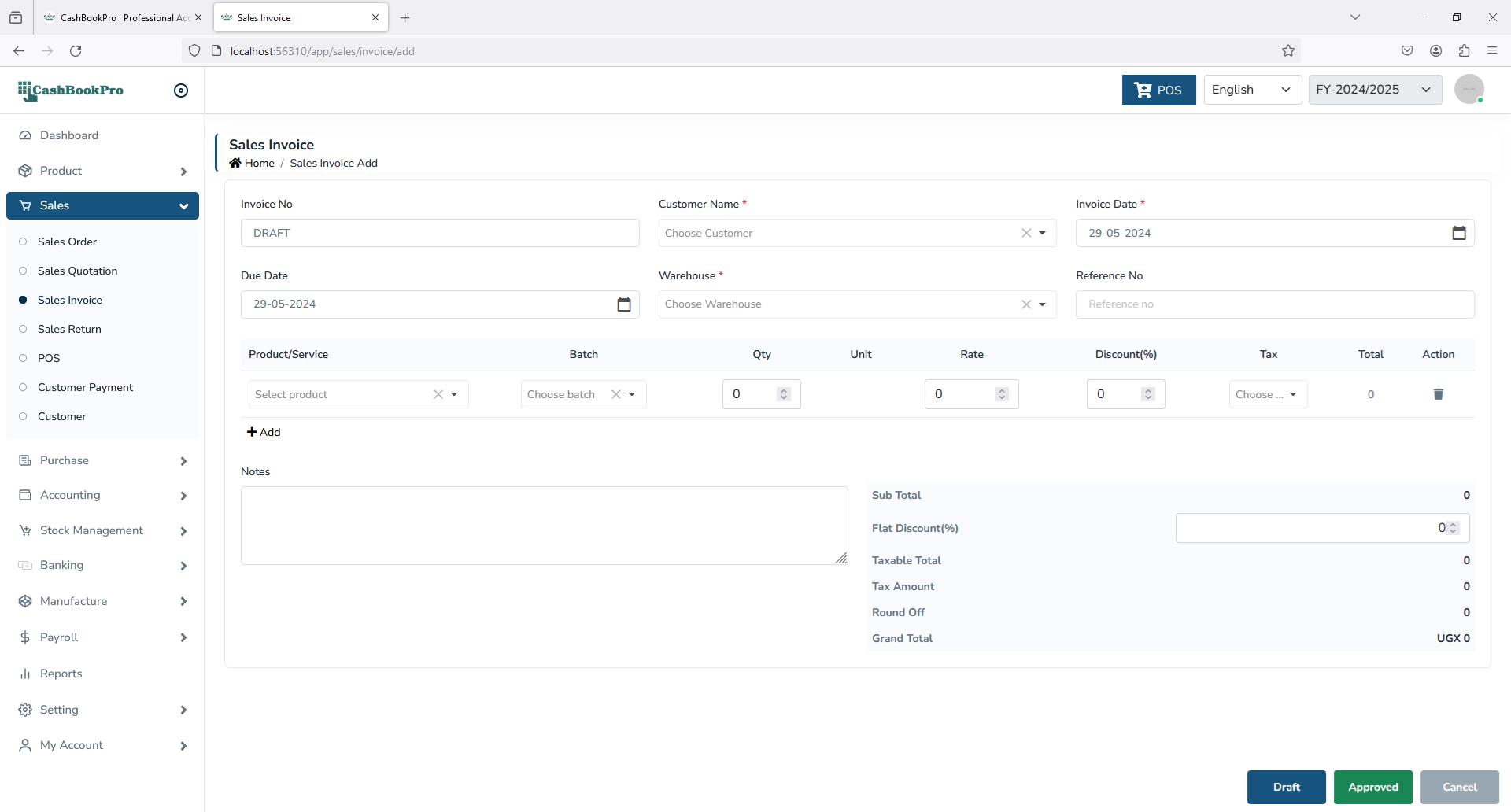
This helps to store details of sold products.
This form is for:
- Adding a new sales invoice.
- Editing details of existing invoice.
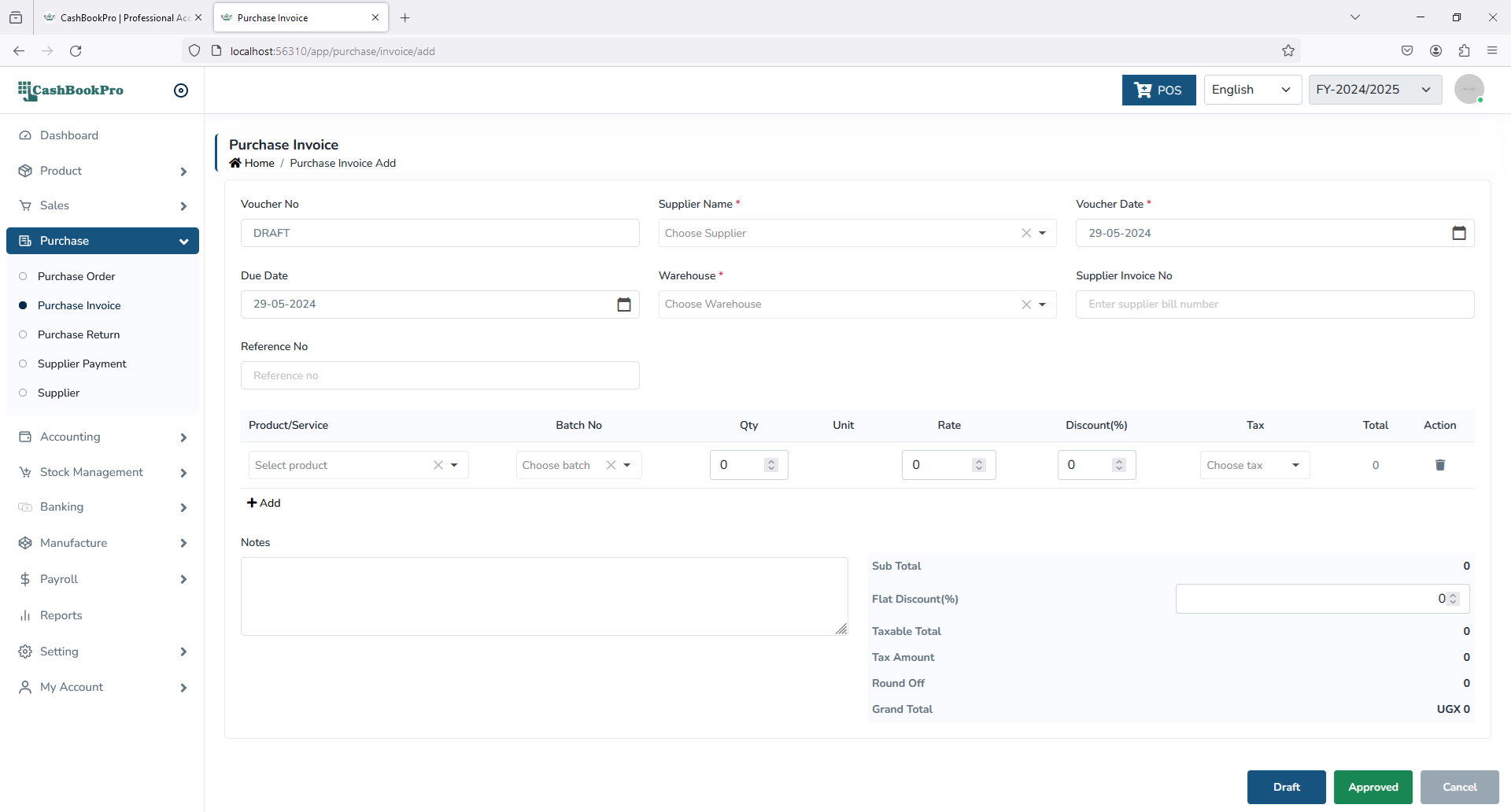
Add a new sales invoice
- Invoice Number automatically generated.
- Select details such as date, due date, customer, warehouse.
- Add product from the product/service.
- If a row in sales invoice window has this window then cells except qty, tax,descount,rate in that row will editable
- Click draft button (Data won't go to stock and ledger reports if you click on the draft button)
- Click approved button to save the entered details
Sales Return
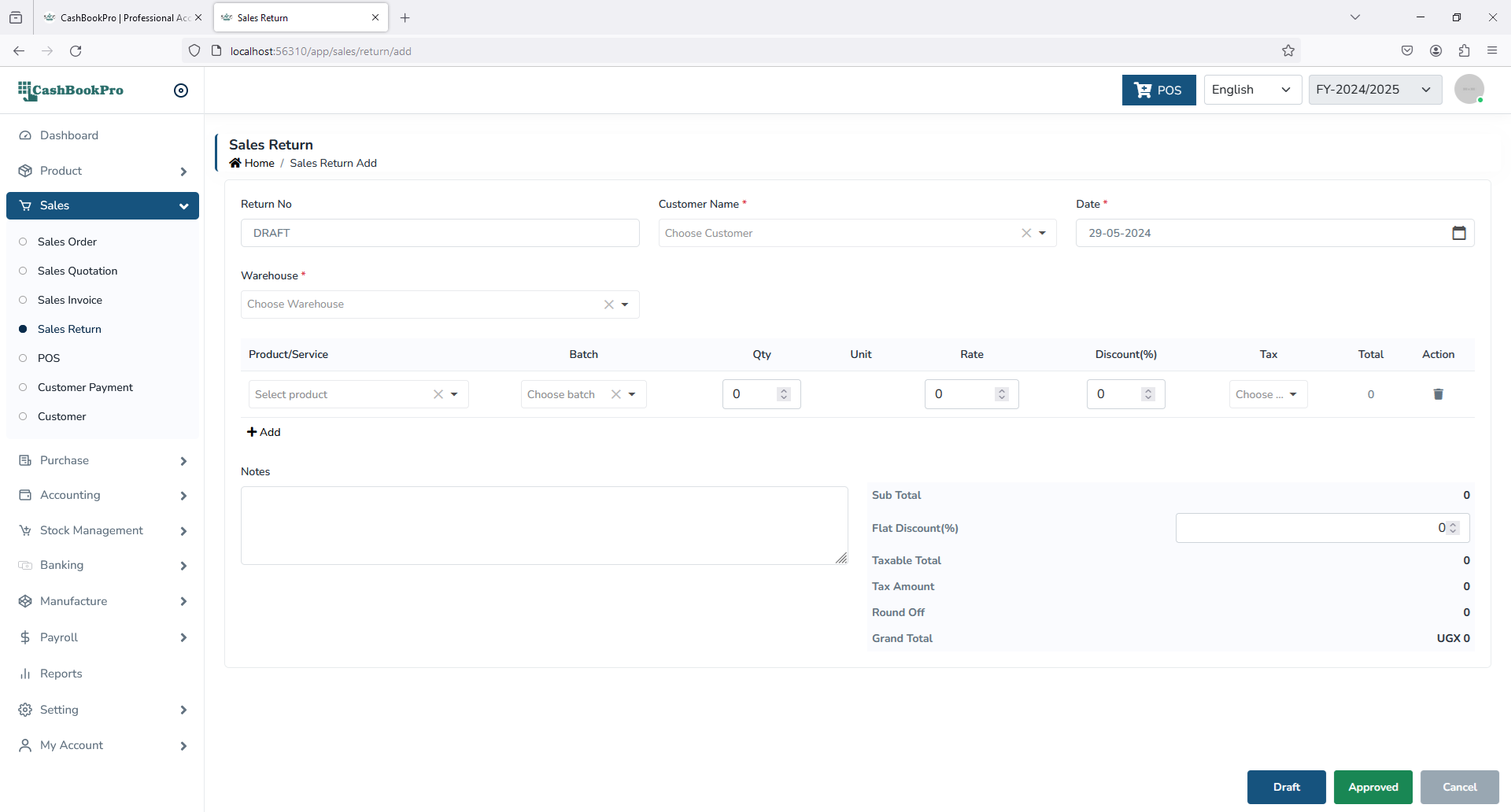
This helps to store details of returned products after sale.
This form is for:
- Adding a new sales return.
- Editing details of existing Sales Return.
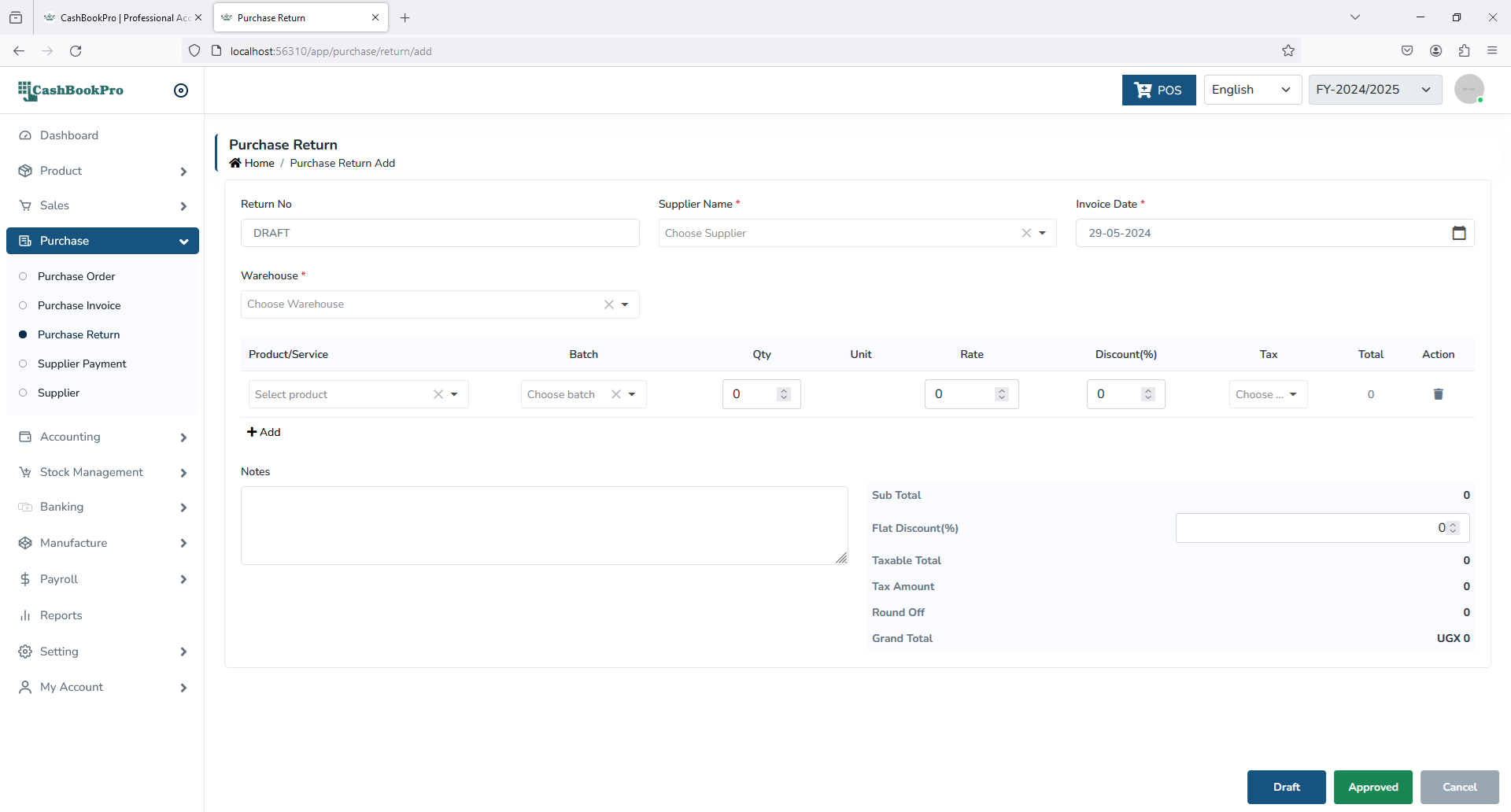
Add a new sales return
- Return Number automatically generated
- Select details such as date, customer, warehouse.
- Add product from the product/service.
- If a row in sales invoice window has this window then cells except qty, tax,descount,rate in that row will editable
- Click draft button (Data won't go to stock and ledger reports if you click on the draft button)
- Click approved button to save the entered details
POS
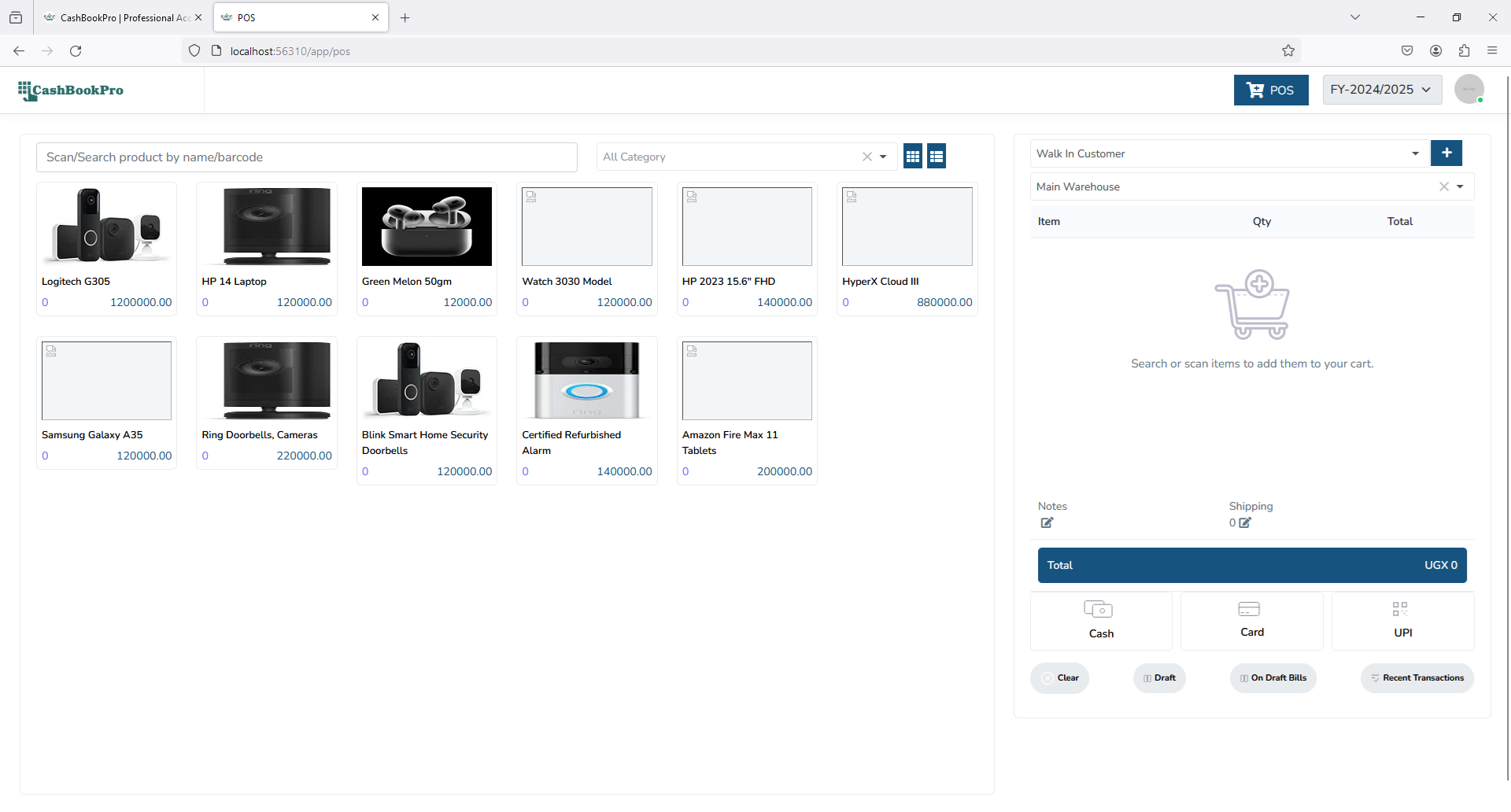
This helps to store details of retail transaction through Point Of Sale.
This form is for:
- Adding a new point of sales.
- Editing details of existing POS transaction.
Add a new sales invoice
- Invoice Number automatically generated.
- Select details such as customer, warehouse.
- Add Product details with details of price rate or discount.
- If a row in sales invoice window has this window then cells except qty, descount,rate in that row will editable
- Click recent transaction button for show approved transaction
- Click on draft bills button for show draft transaction
- Click clear button for clear data
- Click draft button (Data won't go to stock and ledger reports if you click on the draft button)
- Click cash button to save the entered details
- Click card button to save the entered details
- Click upi button to save the entered details